
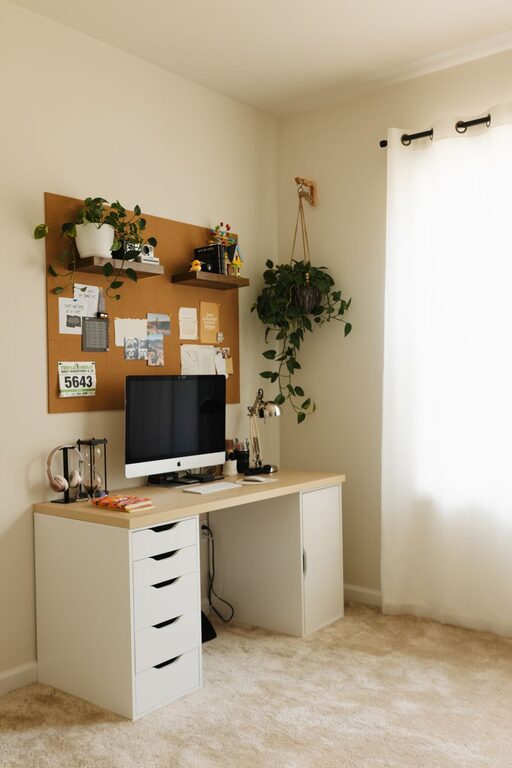
Creating a home workspace that balances coziness and productivity can make a significant difference in your daily routine. Whether you’re working remotely, freelancing, or managing personal projects, the right environment helps you stay focused and comfortable throughout the day. Here are some practical tips to help you set up a home workspace that feels inviting and supports your work needs.
Choose the Right Location
Find a Quiet Spot
Ideally, select a space that is quiet and free from distractions. It could be a spare room, a corner in your living room, or even a section of your bedroom. The goal is to have an area that mentally separates work from leisure.
Consider Natural Light
Natural light helps improve mood and reduces eye strain. Position your desk near a window if possible. If natural light is limited, invest in good quality lighting that mimics daylight.
Invest in Comfortable Furniture
Ergonomic Chair and Desk
A comfortable chair that supports your posture is essential. Look for adjustable features to customize height and back support. Pair it with a desk at the right height to maintain comfort during long working hours.
Utilize Desk Space Wisely
Choose a desk that offers enough surface area for your computer, documents, and other essentials without feeling cluttered. Having a dedicated space for everything keeps the workspace organized and inviting.
Personalize Your Space
Add Cozy Elements
Incorporate soft furnishings like cushions, a warm throw, or a rug to make your workspace feel welcoming. Plants not only enhance aesthetics but also improve air quality and mood.
Use Inspiring Decor
Display artwork, motivational quotes, or photos that uplift you. Personal touches make the space uniquely yours and boost creativity.
Organize Efficiently
Declutter Regularly
Keep only what you need on your desk. Use storage solutions like shelves, drawers, or boxes to store supplies and papers neatly out of view.
Use Desk Organizers
Invest in organizers for pens, notebooks, and cables to keep everything within reach but tidy.
Manage Technology and Cables
Optimize Your Equipment
Ensure your computer, keyboard, and mouse are set up comfortably to reduce strain. Consider accessories like a monitor stand or wrist rests for added support.
Tidy Up Cables
Use cable clips, organizers, or sleeves to keep wires neat and prevent tangles. A clean setup promotes focus and safety.
Establish a Routine
Set Work Hours
Define clear start and end times for your workday. This helps create a healthy work-life balance and signals your brain to focus during work hours.
Take Breaks
Incorporate short breaks to stretch and refresh yourself. A cozy workspace can include a comfortable chair or area to relax briefly.
Control Noise and Distractions
Use Noise-Canceling Tools
If background noise is unavoidable, consider noise-canceling headphones or white noise machines to maintain concentration.
Limit Interruptions
Communicate with family or housemates about your work schedule to minimize disruptions. Use door signs if necessary to indicate when you need quiet.
Keep Air Quality Fresh
Ventilate Regularly
Open windows when possible to let in fresh air. A well-ventilated space keeps your mind alert and reduces fatigue.
Add Indoor Plants
Plants can improve air quality and add a touch of nature, making the space feel more pleasant.
Optimize Temperature and Comfort
Maintain a Comfortable Temperature
Ensure the room temperature is comfortable year-round. Use fans, heaters, or air conditioners as needed to create a pleasant environment.
Dress Comfortably
Wear clothing that allows you to focus without discomfort. Being too hot or cold can distract from productivity.
Final Thoughts
Designing a cozy and productive home workspace doesn’t require a large budget or complicated changes. By focusing on comfort, organization, and personalization, you can create an environment that supports your work and well-being. Remember, the goal is to build a functional space that feels good to spend time in—helping you stay motivated and efficient every day.